The Flipper Zero node
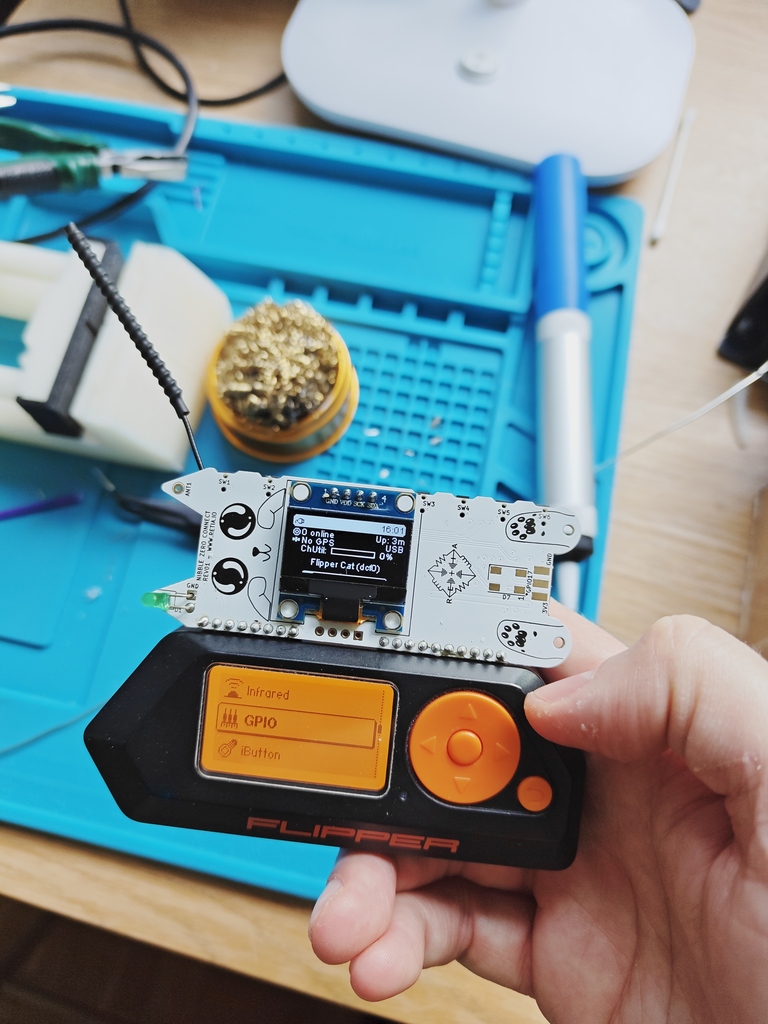
The node that integrates with your flipper zero
I was one of the people who donated to the project, and got myself a black edition.
It's a neat little device equipped with USB, BLE, Sub-Ghz radio, NFC, RFID and GPIOs with I2C, SPI etc You can basically do anything you want with it. You can also extend its functionality with external modules plugged in to the expansion port at the top, or just create your own app.
So I was wondering whether it could run meshtastic, but realized the MCU didn't have enough flash nor RAM for that.
But there did exist a module called Nibble Zero, a ESP32 based meshtastic node that can be plugged into the expansion port.
The Nibble Zero
Made by retia.io, the Nibble Zero is a fully fledged Meshtastic (Meshcore and Reticulum too fyi) that can be used standalone but comes with headers to plug it into the Flipper Zero.
Check it out at their web shop
Hardware
The Nibble Zero comes with an ESP32-S3 with Wi-Fi, Bluetooth and USB. The LoRa module is a WIO-sx1262 that supports both 868 and 915 MHz bands. Antenna wise, it comes with the option to either come with an IPX connector or a coil antenna. I chose the IPX connector as it's more convenient for me so I can test different antennas. It also has an extra header that allows you to plug in an extra I2C sensor, like the BME280.
The Software
Meshtastic for Nibble Zero
The software is actually a custom built version of meshtastic for the Waveshare ESP32-S3 module. This means it's not as up-to-date as the official Meshtastic but it works well enough for my use case, and after checking out their GitHub the only modification done is to the pinout setup. You can check it out here: https://github.com/nsgodshall/retia-boards/
The Flipper Zero app
There are some app alternatives for the Flipper, though I chose to use ZeroMesh from SAMS0N1TE, since it was the one that was the most polished for me.
Setup
Hardware
I soldered the included angled headers to the bottom connectors of the Nibble Zero. Plug it in to the Flipper, and that's pretty much it.
Software
In order for the Flipper to power the Nibble, 5V out needs to be activated on the GPIO, this is done through the menus. The display on the Nibble should light up after a few seconds and the Meshtastic logo should show.
If it doesn't there's a web flasher that can flash the correct firmware to it: https://nugget.dev/
The Nibble should now configured to forward serial data to it's GPIOs so the Flipper can communicate with it. The following settings should be set:
Setting | Value |–|–| Serial | enabled Echo | enabled RX | 44 TX | 43 Baudrate | 115200 Serial mode | PROTO
The ZeroMesh app
The easies way install the app (as of today) is to clone the repository and built it with ufbt.
ufbt is Flipper Zeros own app builder, install it with pip: pip install ufbt
git clone https://github.com/SAMS0N1TE/ZeroMesh.git
cd ZeroMesh
ufbt build
19:15:04.225 [I] Deploying SDK for f7
19:15:04.225 [I] Fetching version info for UpdateChannel.RELEASE from https://update.flipperzero.one/firmware/directory.json
19:15:04.629 [I] Using version: 1.4.3
19:15:04.629 [I] uFBT SDK dir: /home/isac/.ufbt/current
19:15:05.266 [I] Deploying SDK
19:15:05.514 [I] SDK deployed.
scons: Entering directory /home/isac/.ufbt/current/scripts/ufbt'
APPCHK /home/isac/.ufbt/build/zeromesh.fap
Target: 7, API: 87.1
The app file is now available in ~/.ufbt/build.
I proceeded to install the app using qFlipper by just dragging and dropping the .fap file in the file explorer.
Trying it out
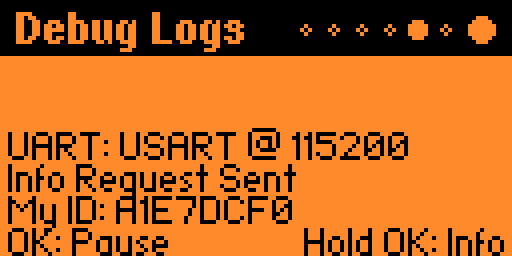
After all the preparation all should be set to just try it out. I doulbe checked the debug logs in the app to double check the connection with the Flipper Zero. Everything looked good.
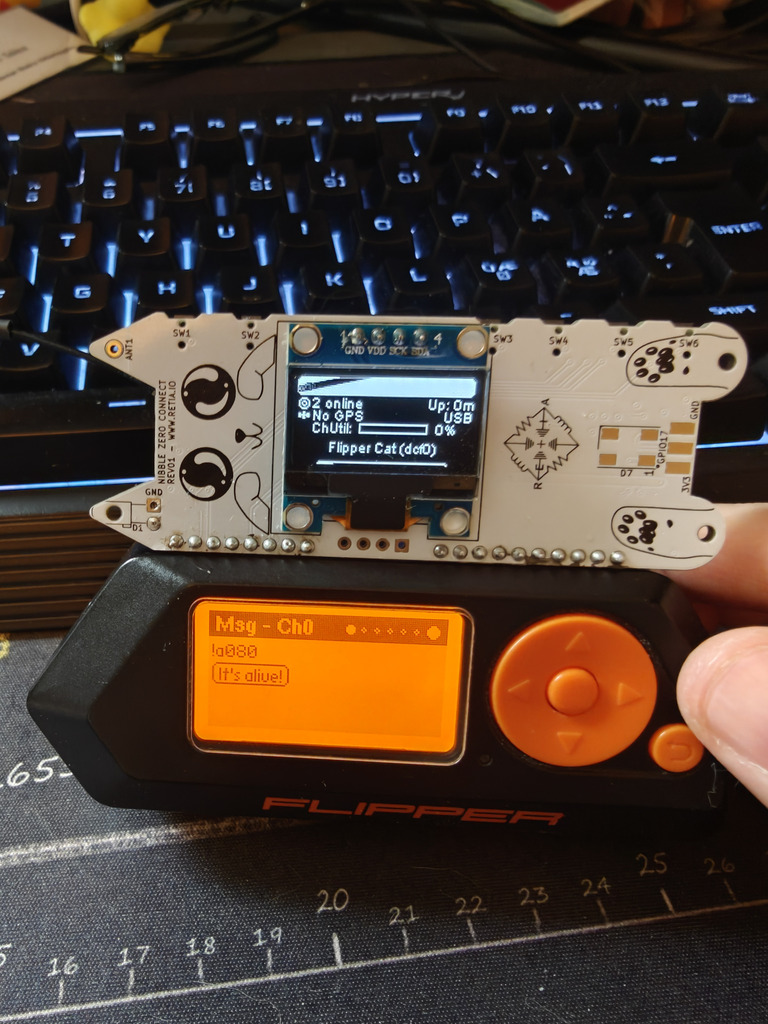
I realized just after the fact that I needed to long press on the underscore to write spaces on the Flipper keyboard. But I was able to send a message to the local public channel (which is shown as Ch0 in the app)
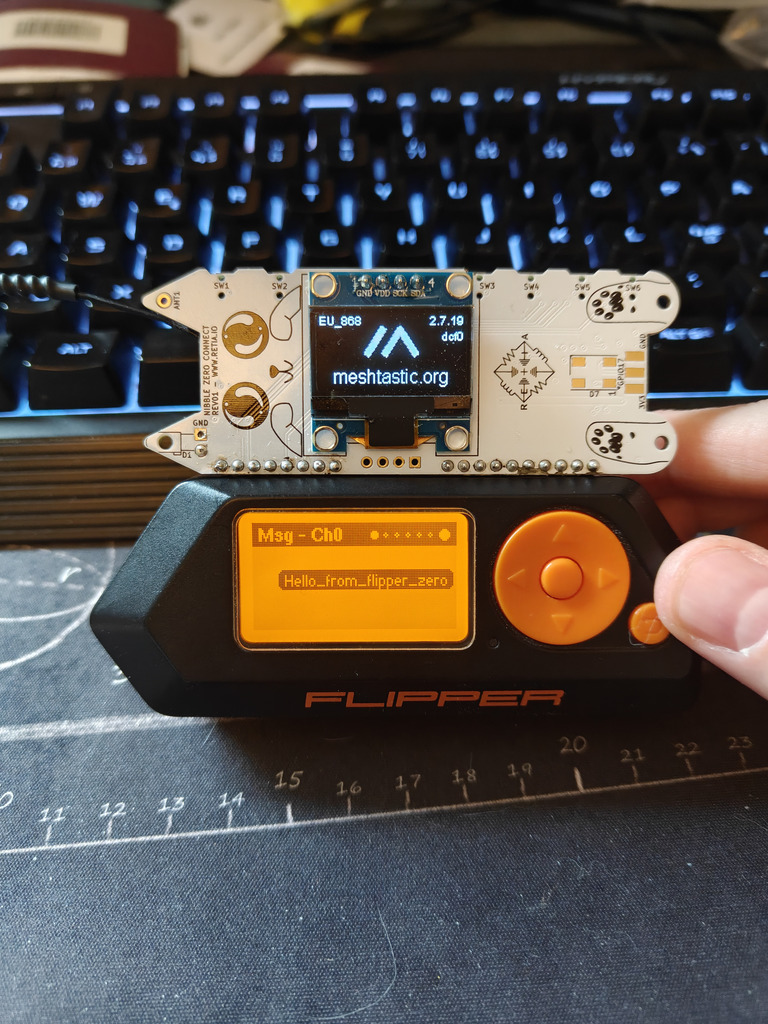
And from my other node I could see it:
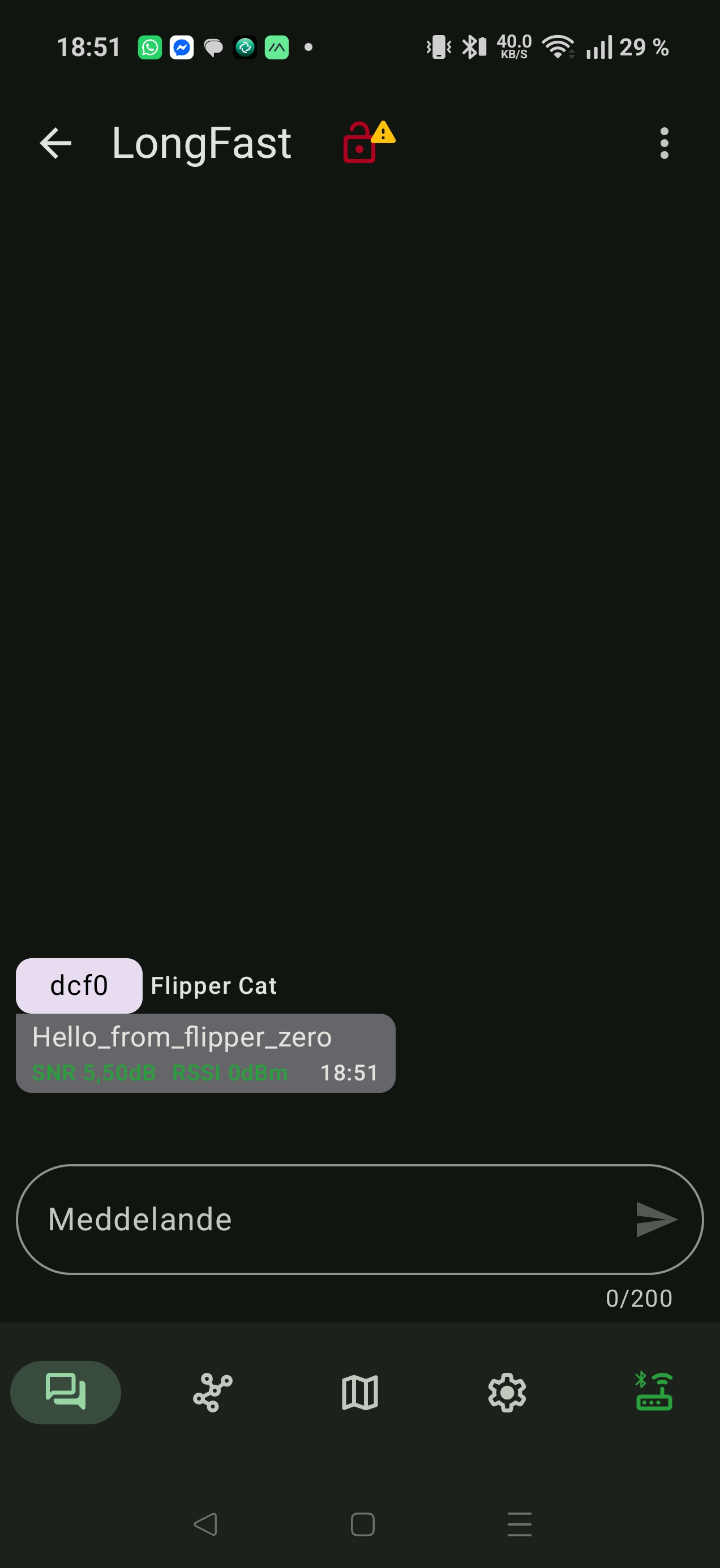
And my reply from my other node:
Conclusion
The Nibble Zero is an interesting module for those who has a Flipper Zero and want to use it as a mesh network. The apps that are available are pretty basic, but they work. Using Meshtastic on the flipper zero is a great way to use your hardware for something other than just debugging, since it now actually has a great way of communuication to it. Integrating the Nibble Zero with other functions of Flipper i.e. sending scanned NCF data to another Flipper using the Nibble Zero could be an interesting way to share data. (And maybe a future project?) It's worth noting that the version of meshtatic is a slightly modified version of Meshtastic and it's slightly older than the official one.
There are some 3D printable enclosure avaiable here:
https://www.printables.com/model/1544450-nibble-zero-retia-case